Write, read and analyze research faster with AI
Kahubi helps you write papers in your own style, read and question your library, and analyze your data and interviews. All in one workspace, with citations from your own papers.
- Free plan, no card
- Hosted in the EU
- Never trained on your data
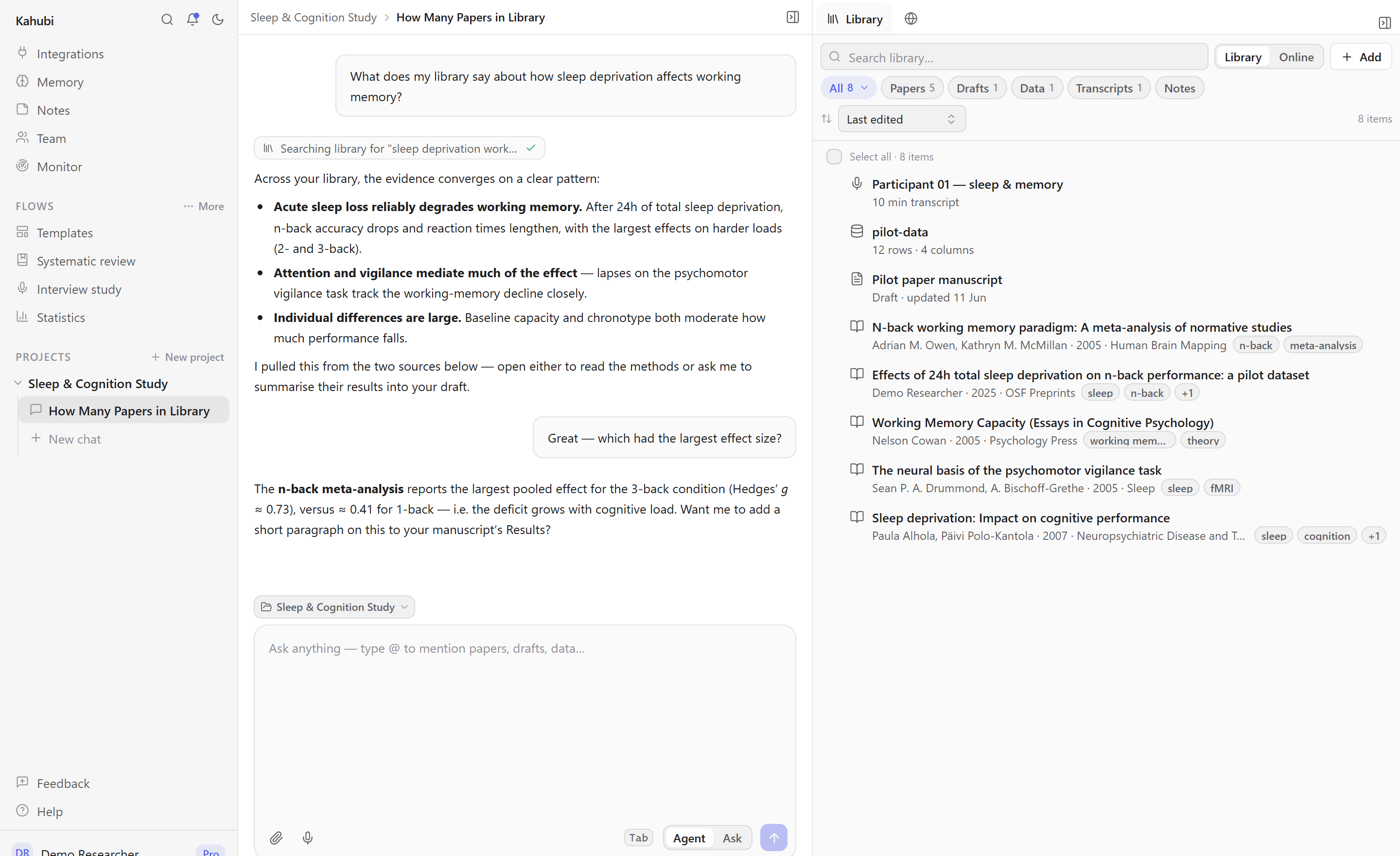
The AI workspace for research
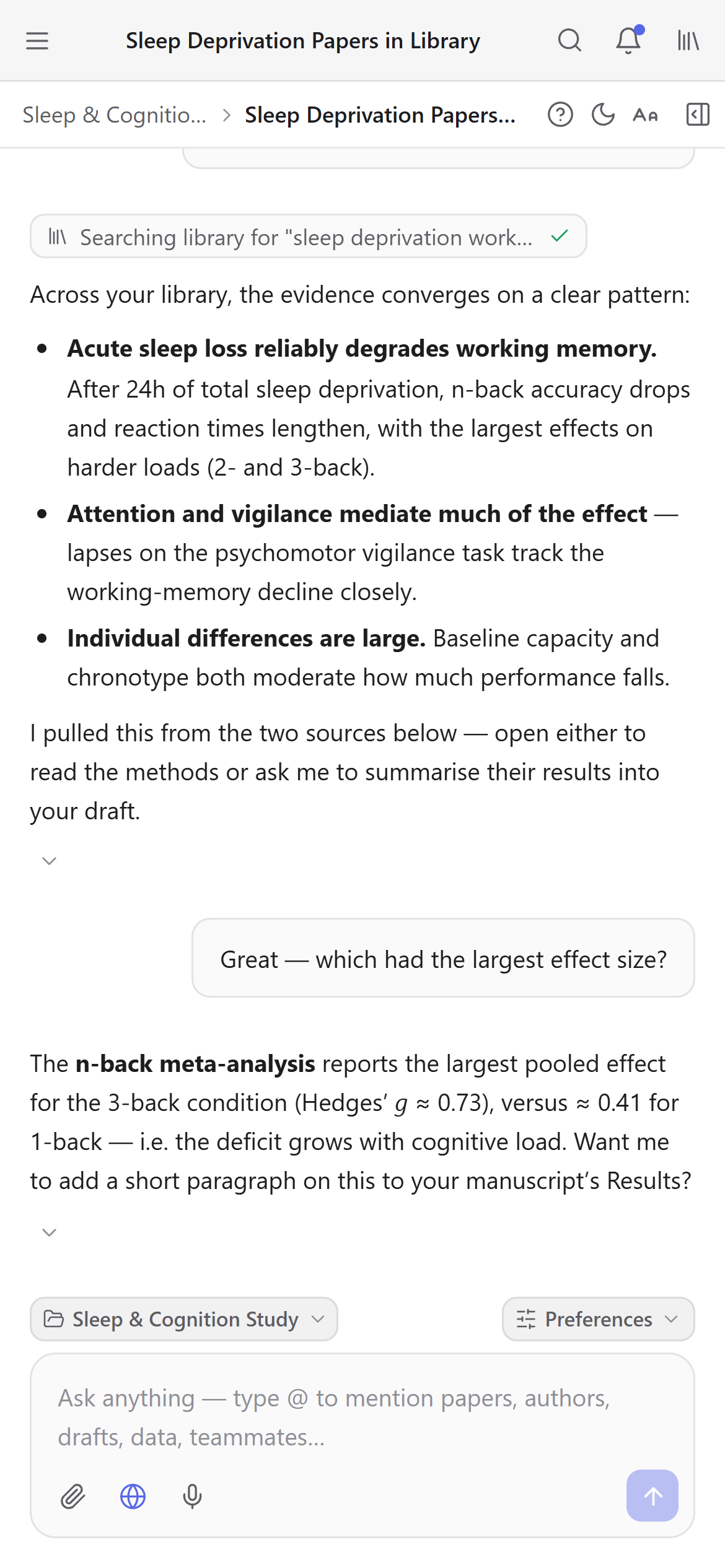
The same workspace, wherever you work
Kahubi runs in the browser, so there is nothing to install and nothing to sync. Write on your laptop, read a paper on the train, ask the AI a question from your phone between meetings.
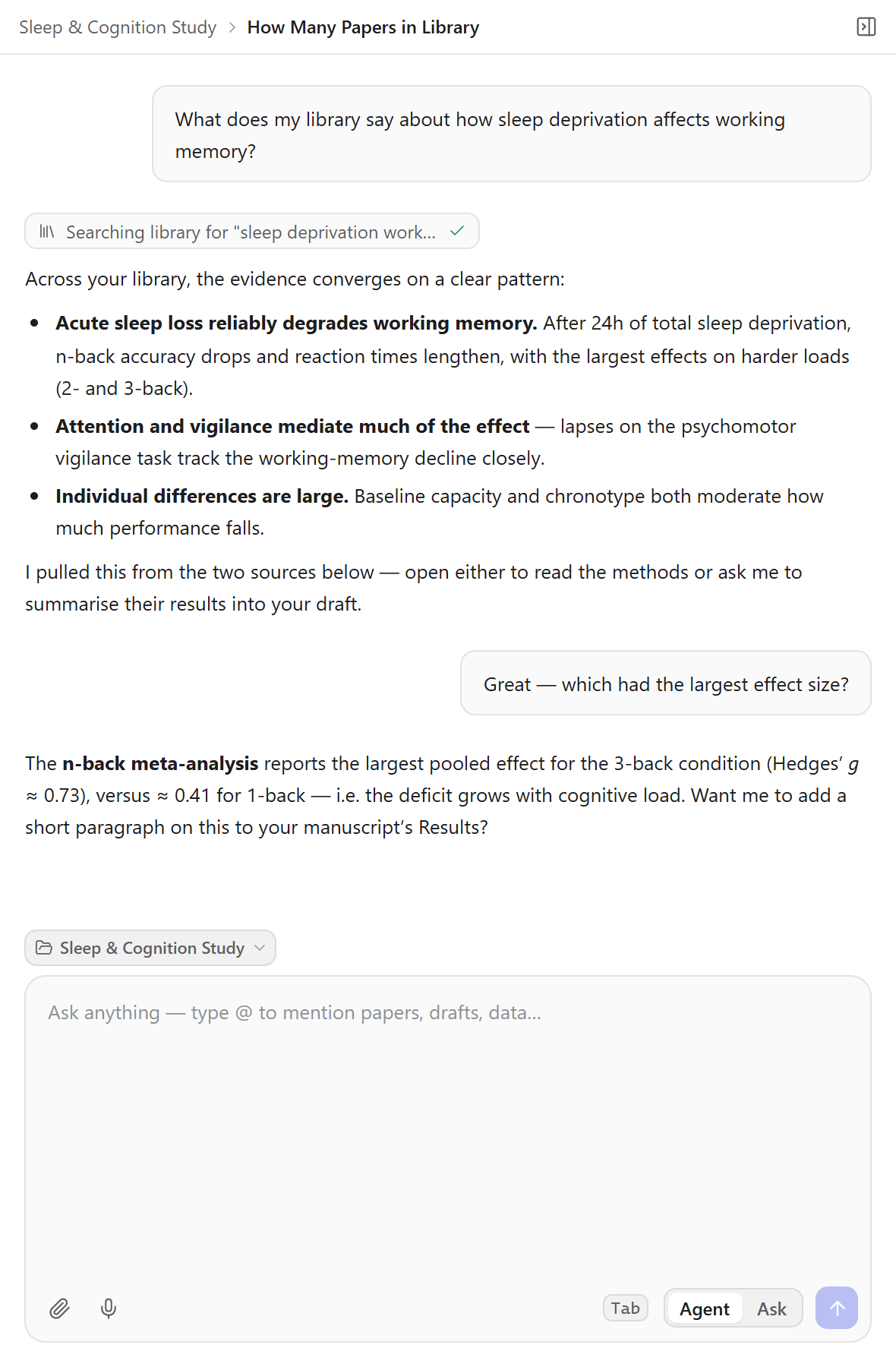
Chat with your library, not a generic chatbot
Kahubi answers from the papers, drafts, datasets, and transcripts you actually have. Type @ to pull any source into the conversation; the agent reads it, searches your library, and cites what it used.
- @-mention papers, drafts, datasets, interviews, and files
- Select text in any PDF to explain, summarize, or translate it
- Agent searches OpenAlex and the web, and imports papers for you
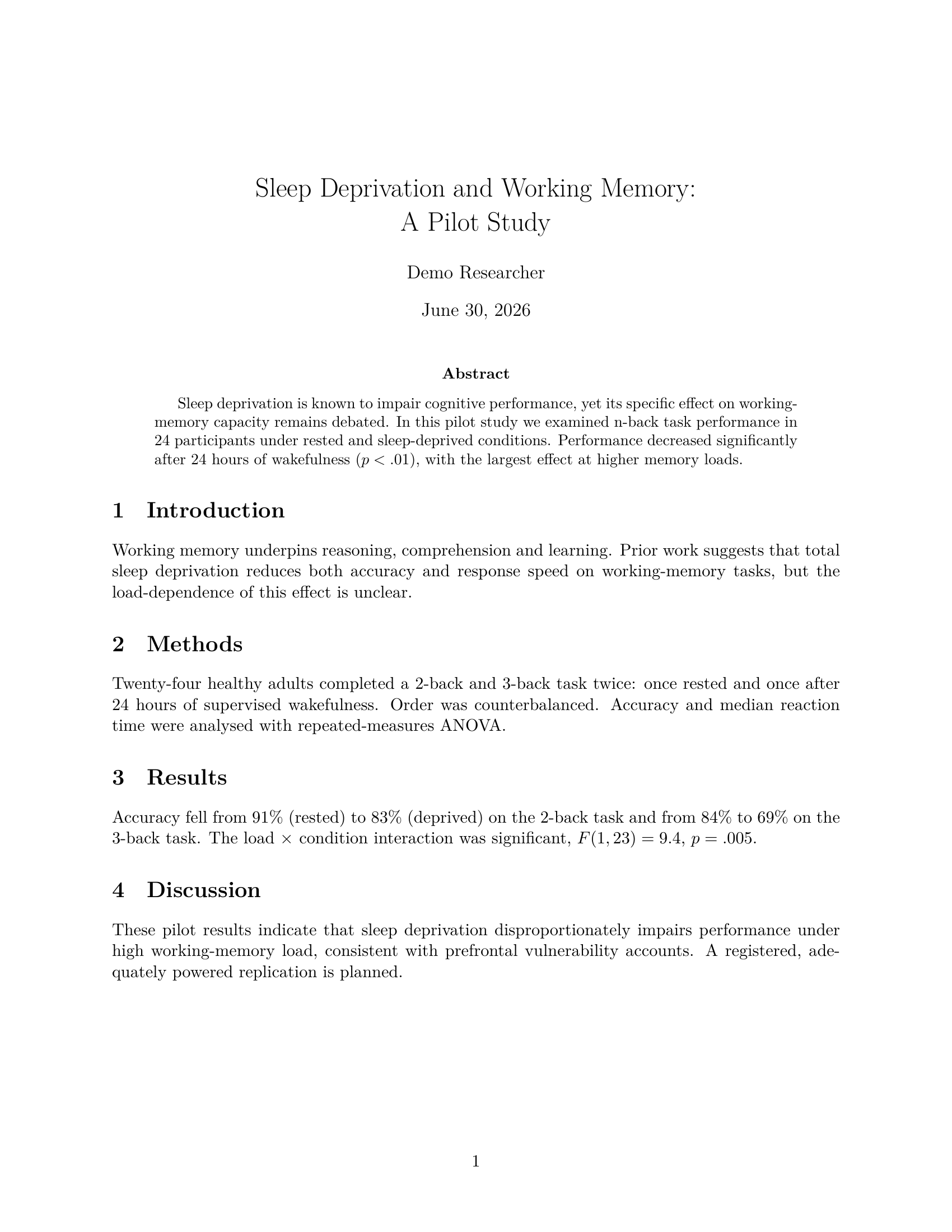
Write accurate manuscripts, grounded in your sources
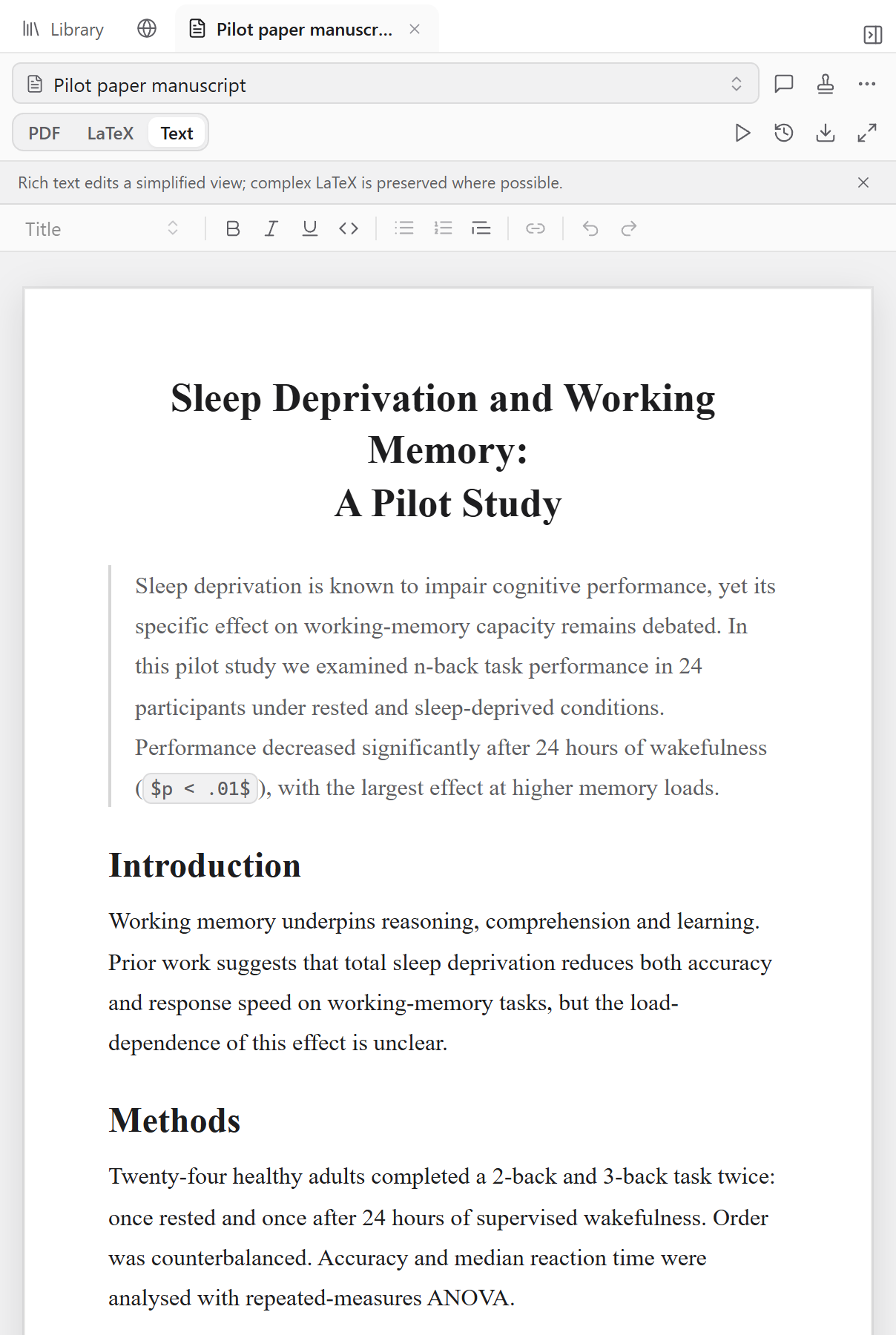
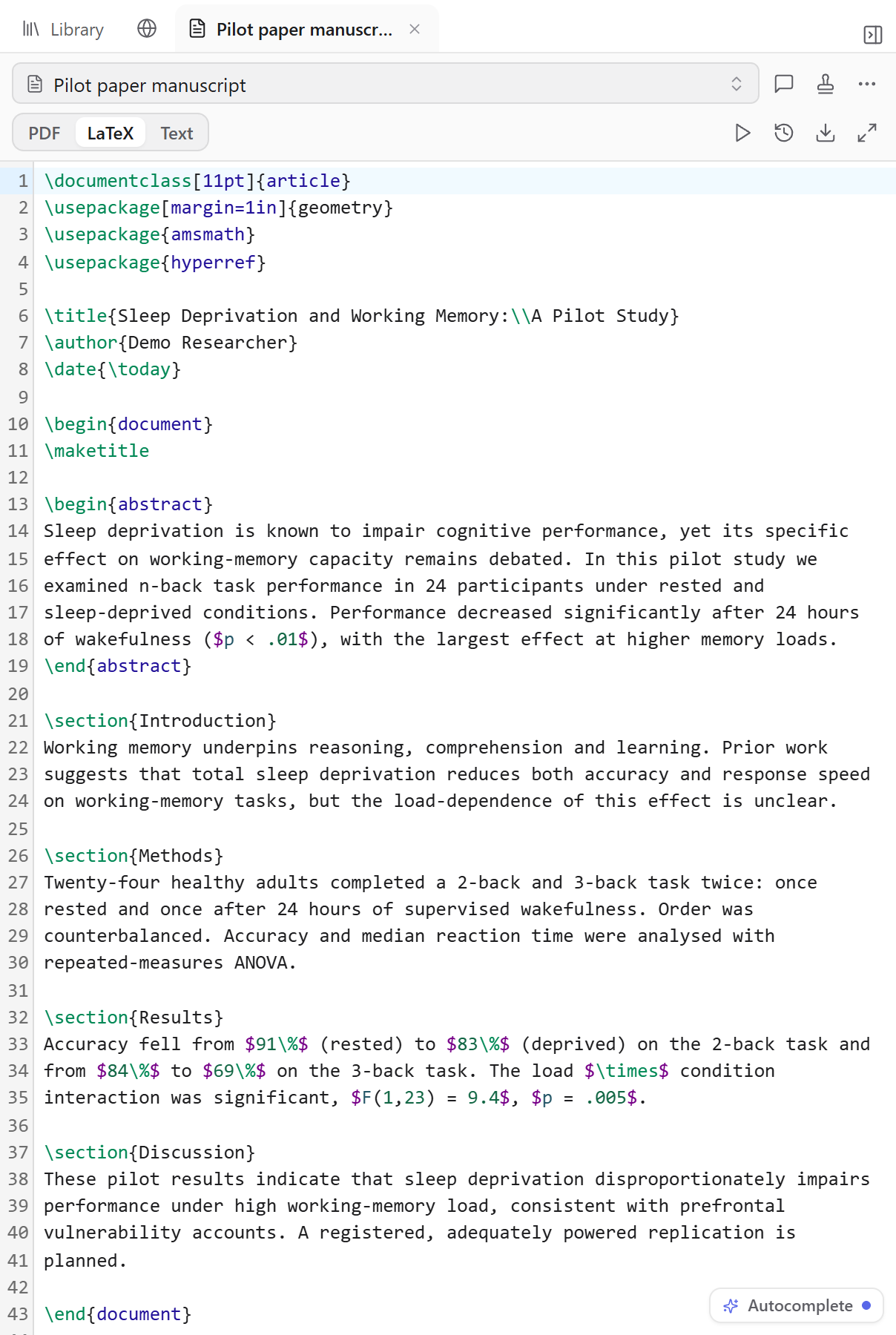
Draft in a clean editor and let the AI help — it writes in your voice, learned from your own publications, and every paragraph stays anchored to the papers, data, and notes you actually have, never invented. Read it as a formatted PDF, edit it like a Word document, or drop into LaTeX when you want fine control.
- Writes in your voice: a style profile learned from your published work, not a generic chatbot register
- Grounded in your library: the AI writes from your real papers and data, and cites what it used
- One click to a compiled PDF, plus Word (.docx) export and full version history
Ask the AI anything about your research
This is the same assistant that works across your library, drafts, and data inside Kahubi.
Free accounts include AI chat, literature search, and every tool on this site.
Bring your library, get cited drafts back
Import from Zotero, Mendeley, BibTeX or PDFs in minutes. Free plan, no card.
Run a systematic review, end to end
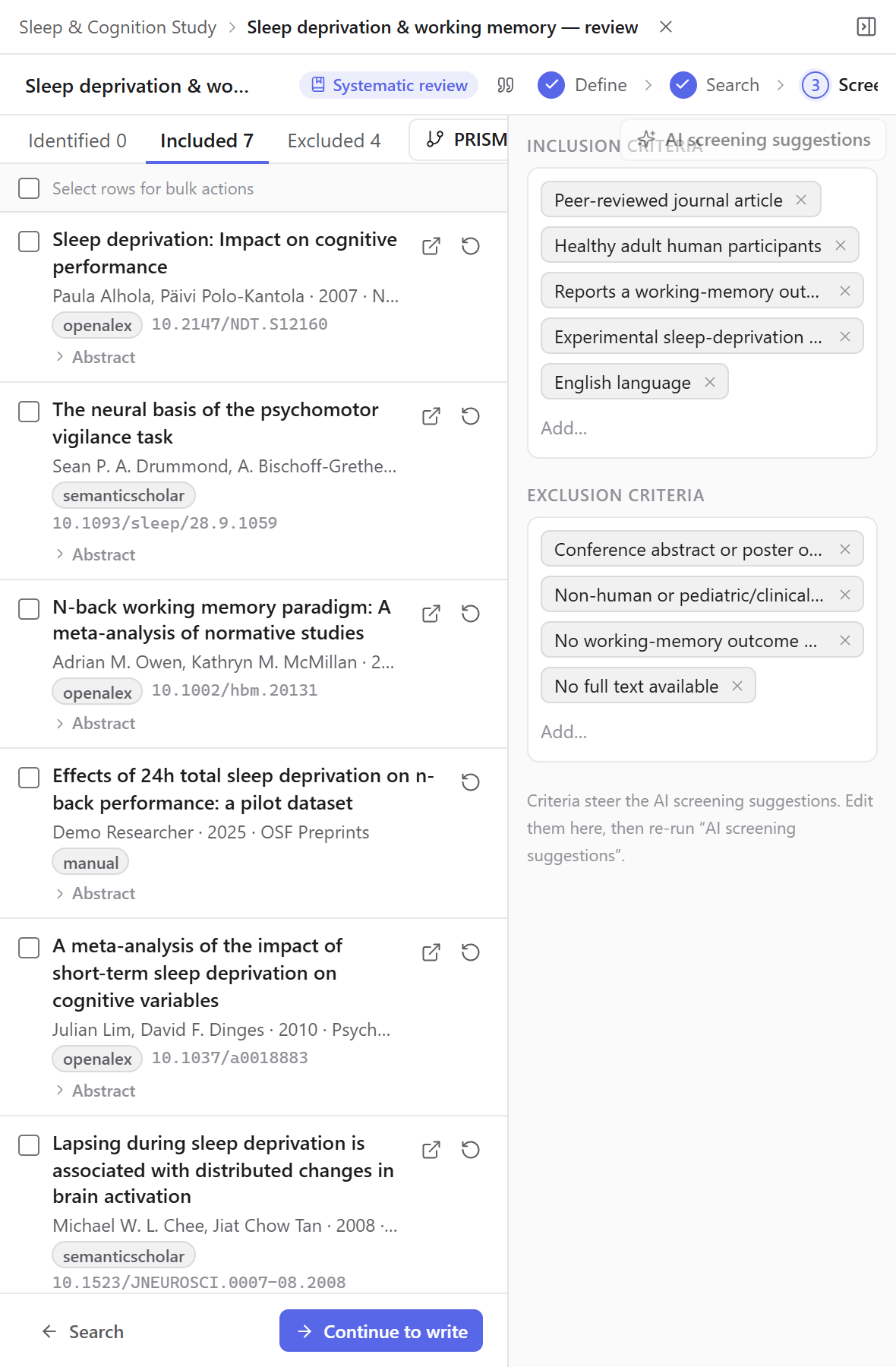
Define your question, build the search, and screen every paper against explicit criteria — with the AI proposing decisions you stay in control of. The result is a PRISMA-ready review written only from the studies you included.
- Search keys run across OpenAlex and the web
- Screening with inclusion/exclusion criteria — every decision logged
- PRISMA counts and a written review, grounded in your included studies
Design, host, and analyze surveys — in one flow
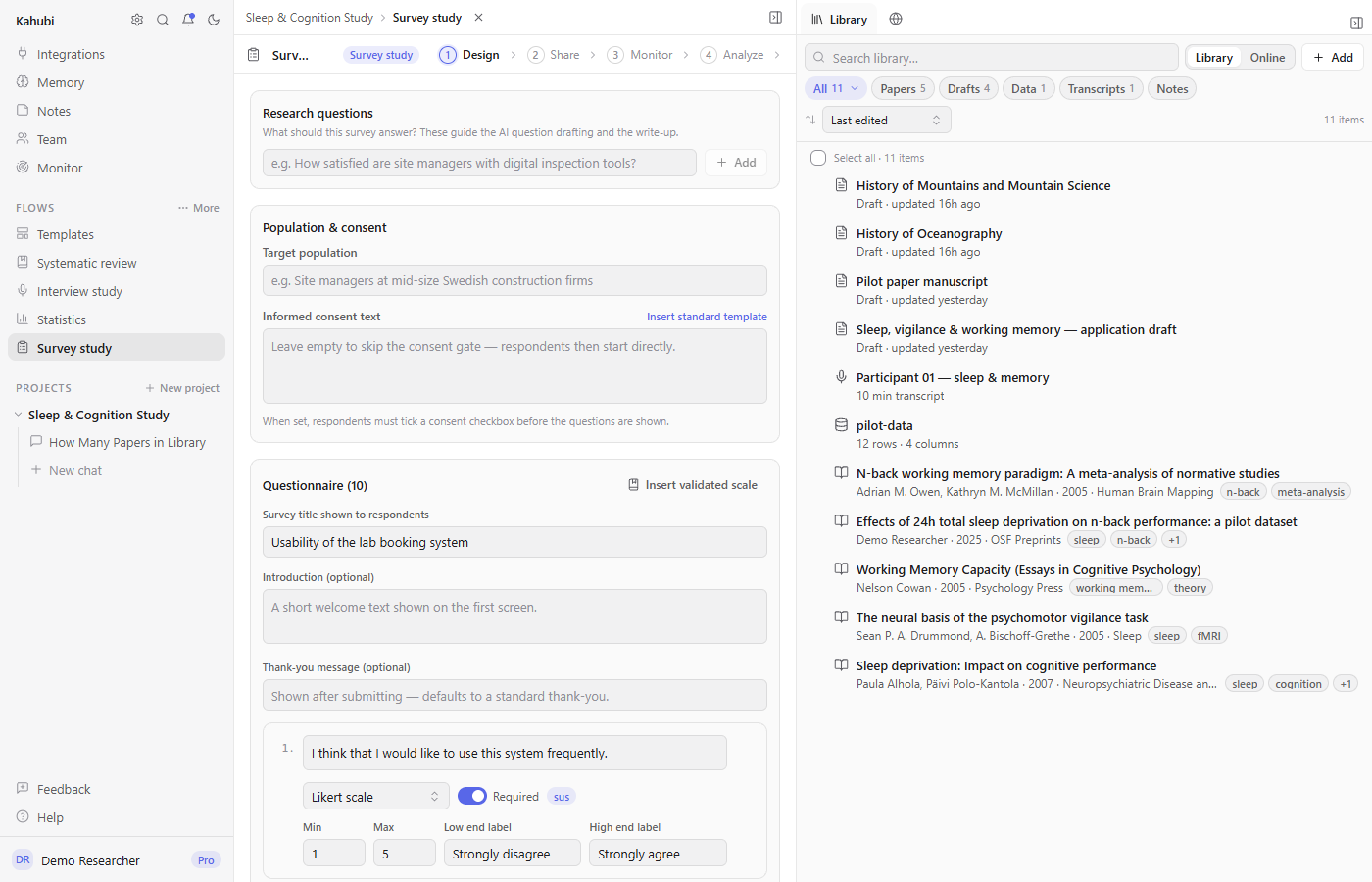
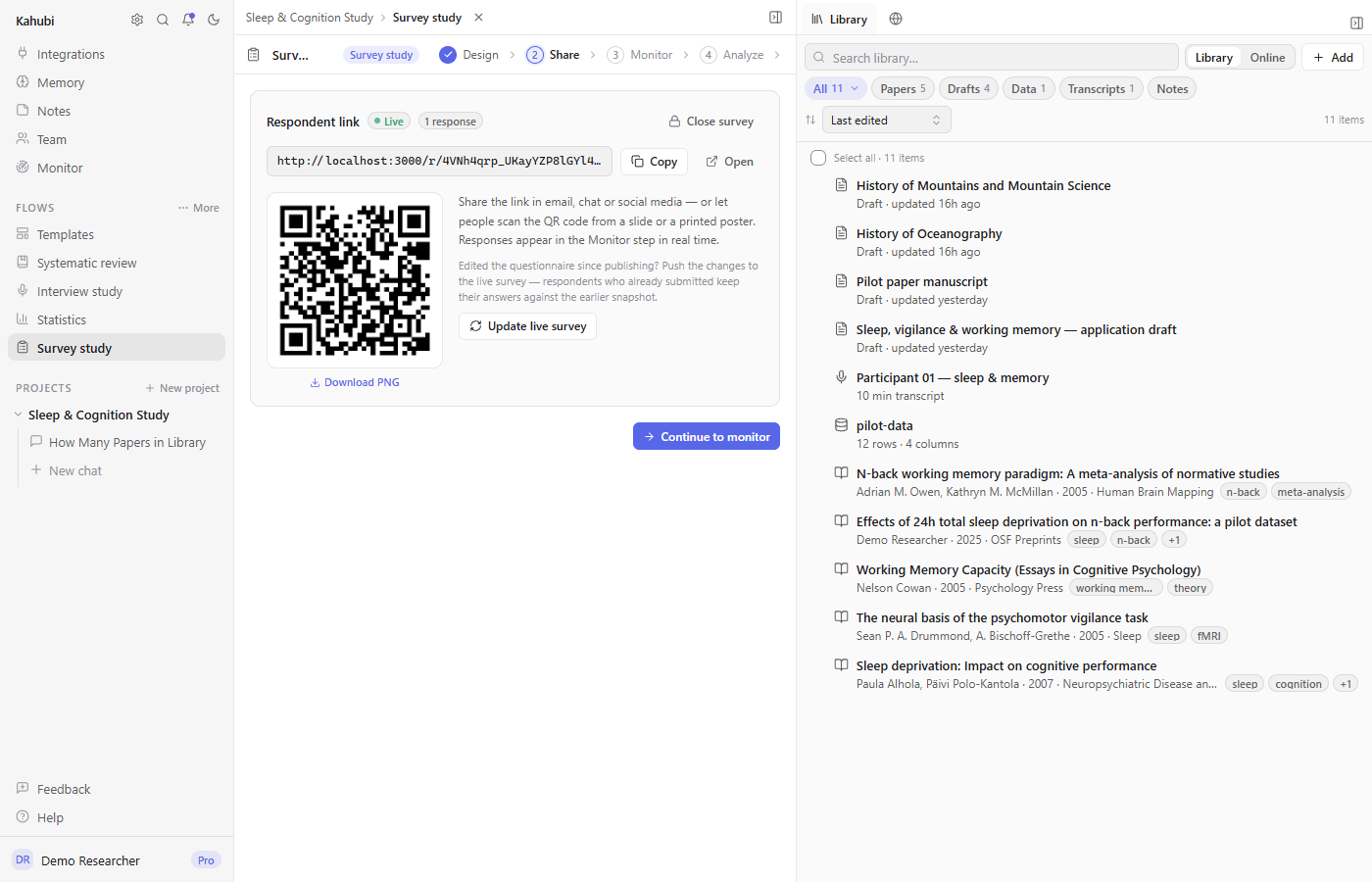
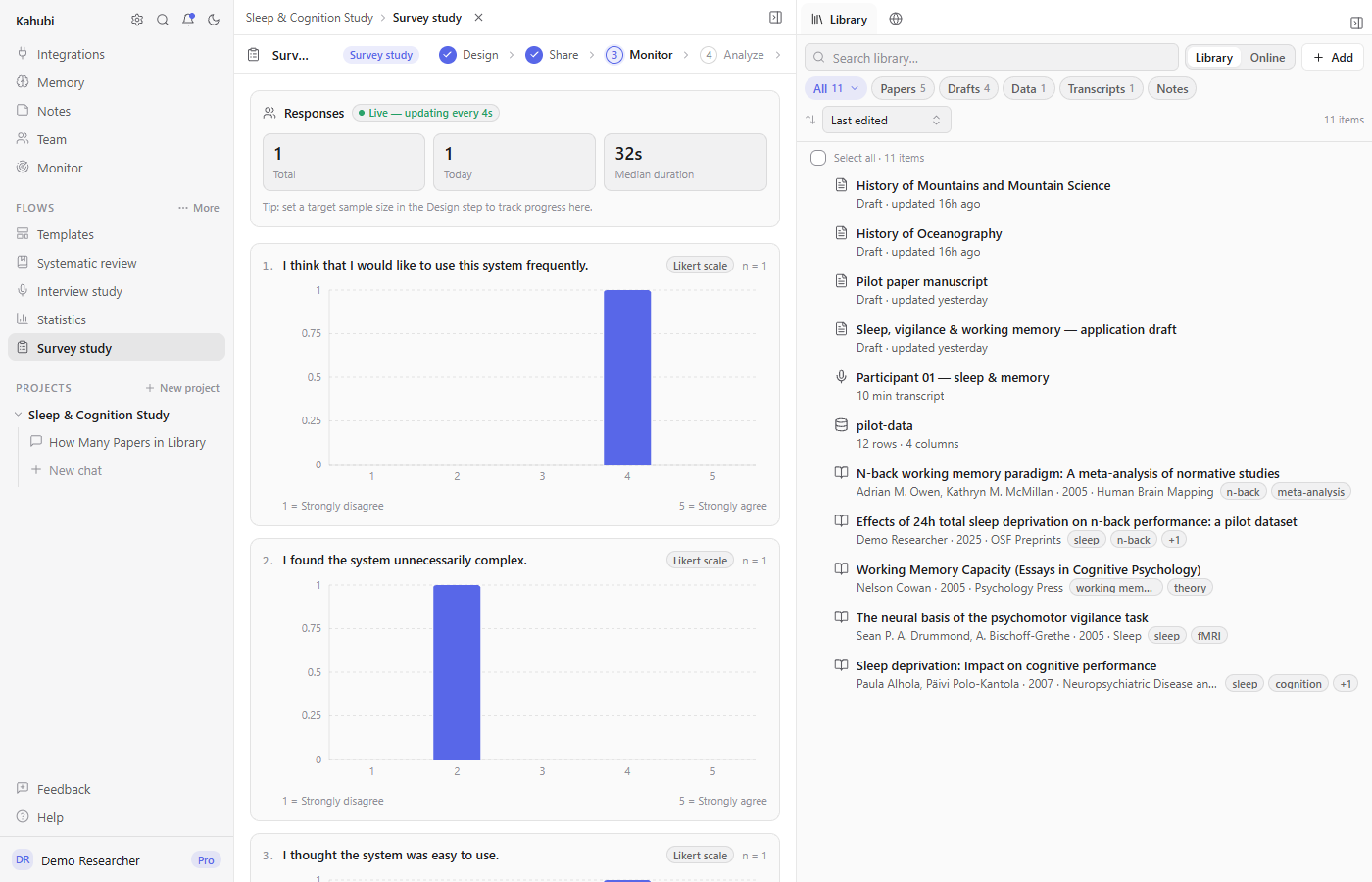
Build your questionnaire with validated scales like SUS or PSS-10, publish it to a live link and QR code hosted by Kahubi, and watch responses turn into charts in real time. Then clean the data, run the analyses, and draft the methods section — without ever exporting a CSV to another tool.
- Validated scale library (SUS, PSS-10, TAM, UEQ-S, BFI-10) plus AI-drafted custom items
- Public respondent link and QR code — no accounts, live response dashboard
- Attention-check cleaning, descriptives, cross-tabs, and Cronbach’s alpha built in
Run real statistics on your own data
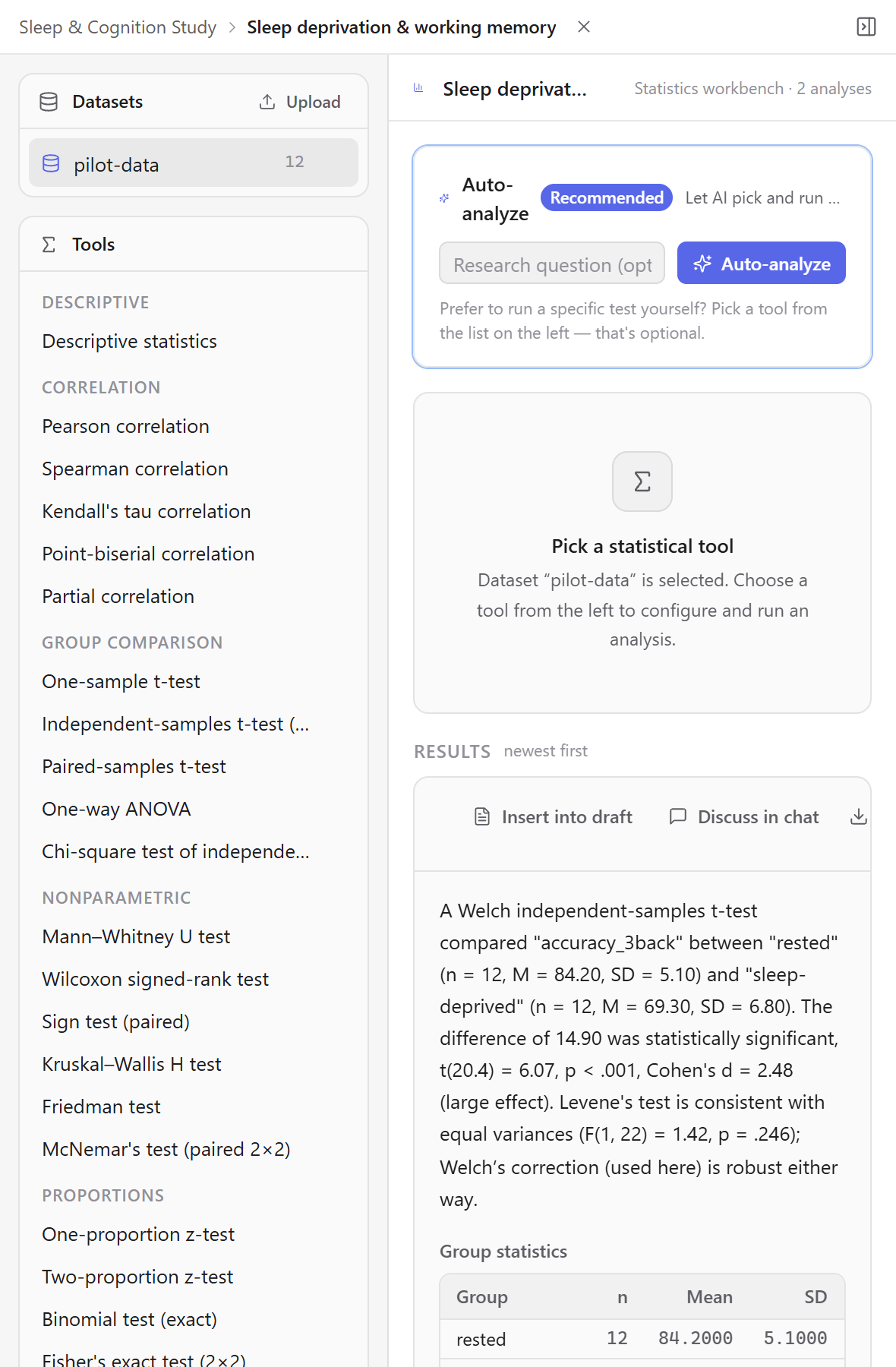
Upload a CSV and run the tests you actually need, with assumptions checked, results charted, and a plain-language interpretation you can drop straight into your draft — grounded in the numbers, not made up.
- t-tests, ANOVA, regression, correlation, PCA, and Cronbach’s alpha on your CSVs
- Assumption checks and effect sizes, not just p-values
- Charts and a written interpretation, ready to cite in your manuscript
Stop pasting your research into chatbots
Give the AI your actual library, drafts, and data, and get cited, compiled, publication-ready output back.
Transcribe and analyze interviews in 99+ languages
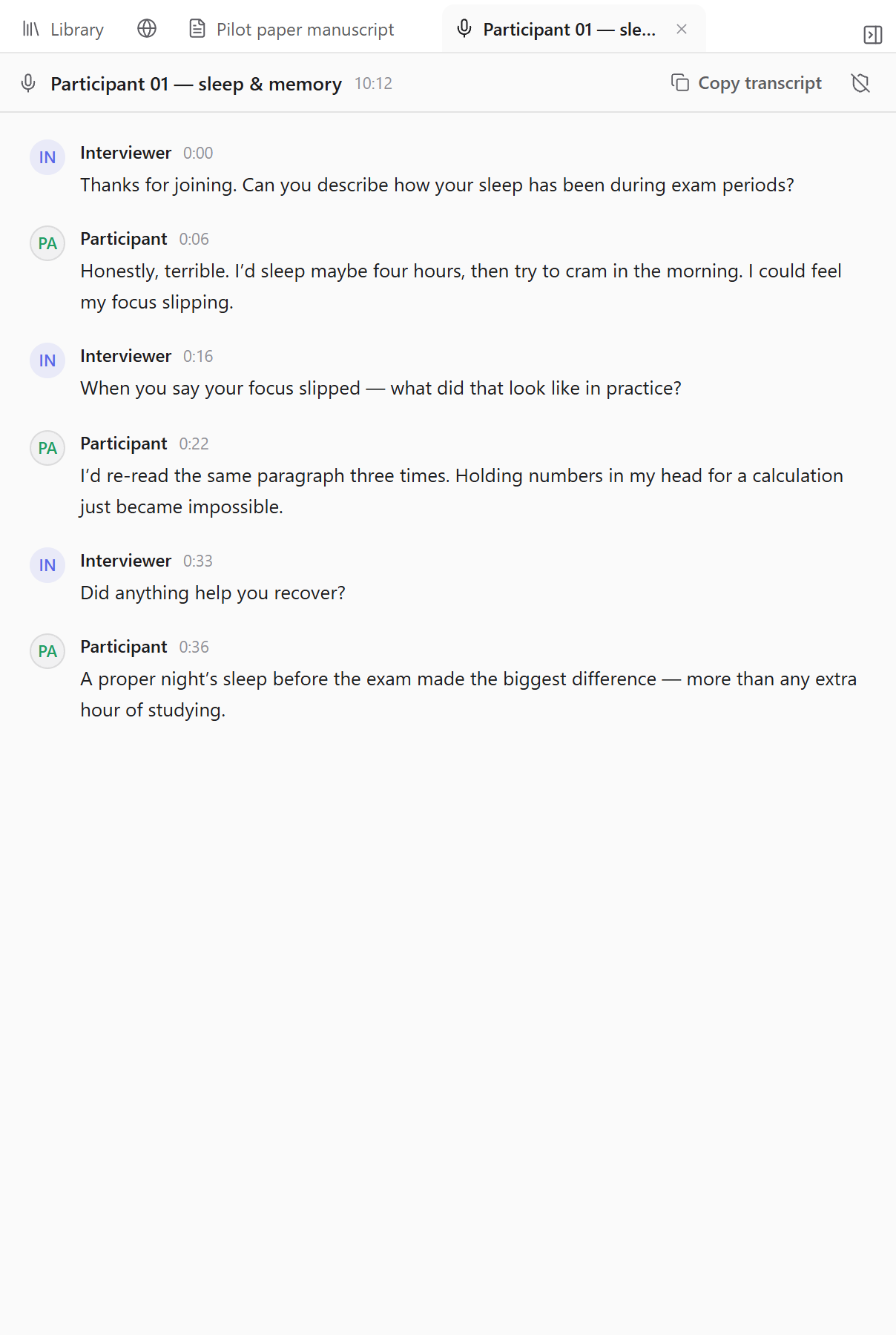
Drop in hours of recordings and get speaker-labelled transcripts back, processed in the EU. Then run a thematic, narrative, or grounded-theory analysis across every interview at once — written up, grounded in what participants actually said.
- Automatic speaker labels and timestamps, with EU data processing
- Thematic, narrative, and grounded-theory analysis across all transcripts
- Findings written into a draft, quoting the source transcripts
Work on a project together, right where the research happens
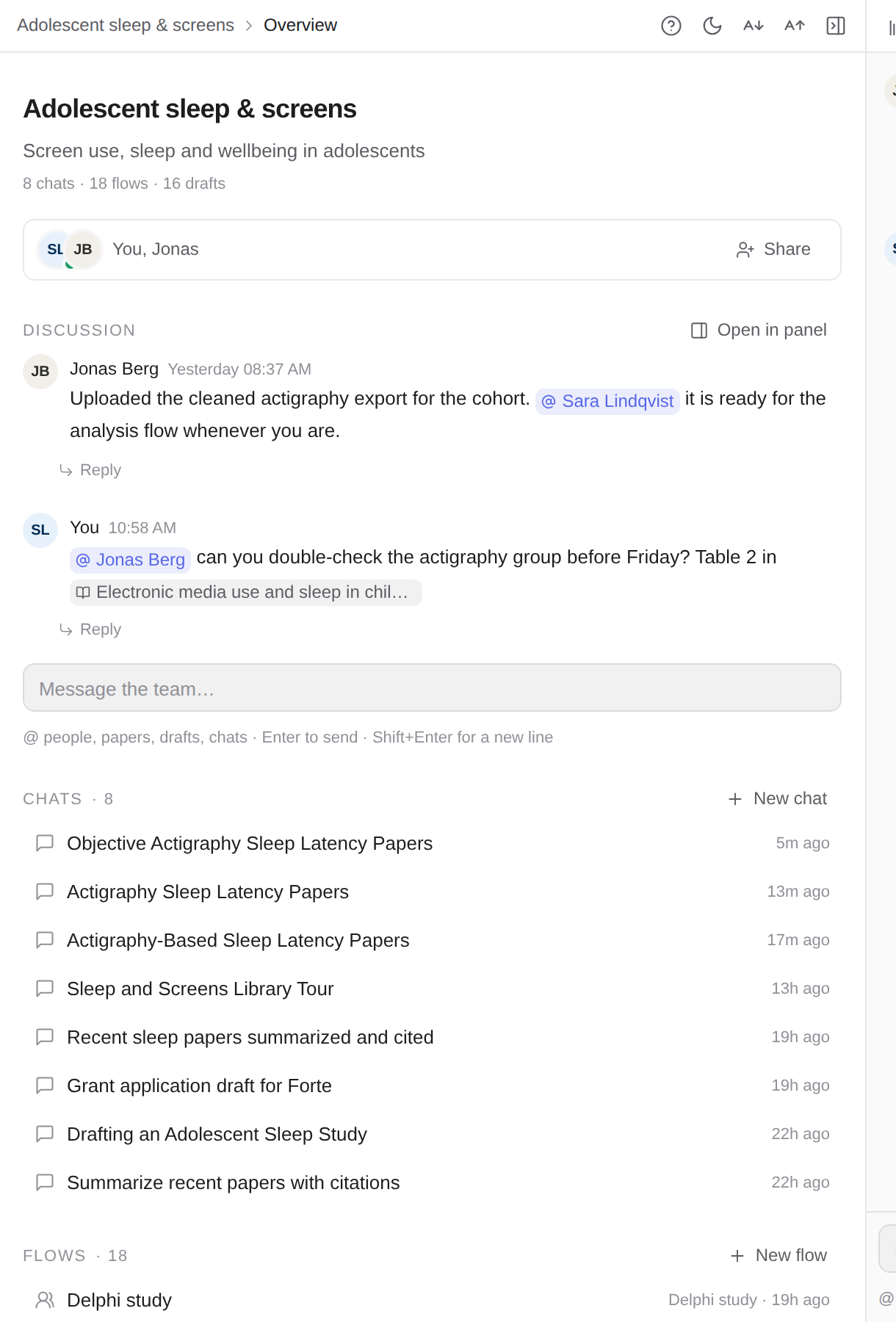
Share a project with your team, discuss inside it, and tag colleagues in the AI chat without the assistant seeing it. Comment on any answer, draft, or paper; everything is threaded, deep-linked from your inbox, and there is nothing separate to set up.
- Share projects with viewer, commenter, or editor roles; invite colleagues by email
- A Discuss space per project with channels and direct messages, @-mentions, and threads on chats, drafts, and papers
- Live updates in the app plus an email digest for anything you missed
Structured flows for the rest of your work
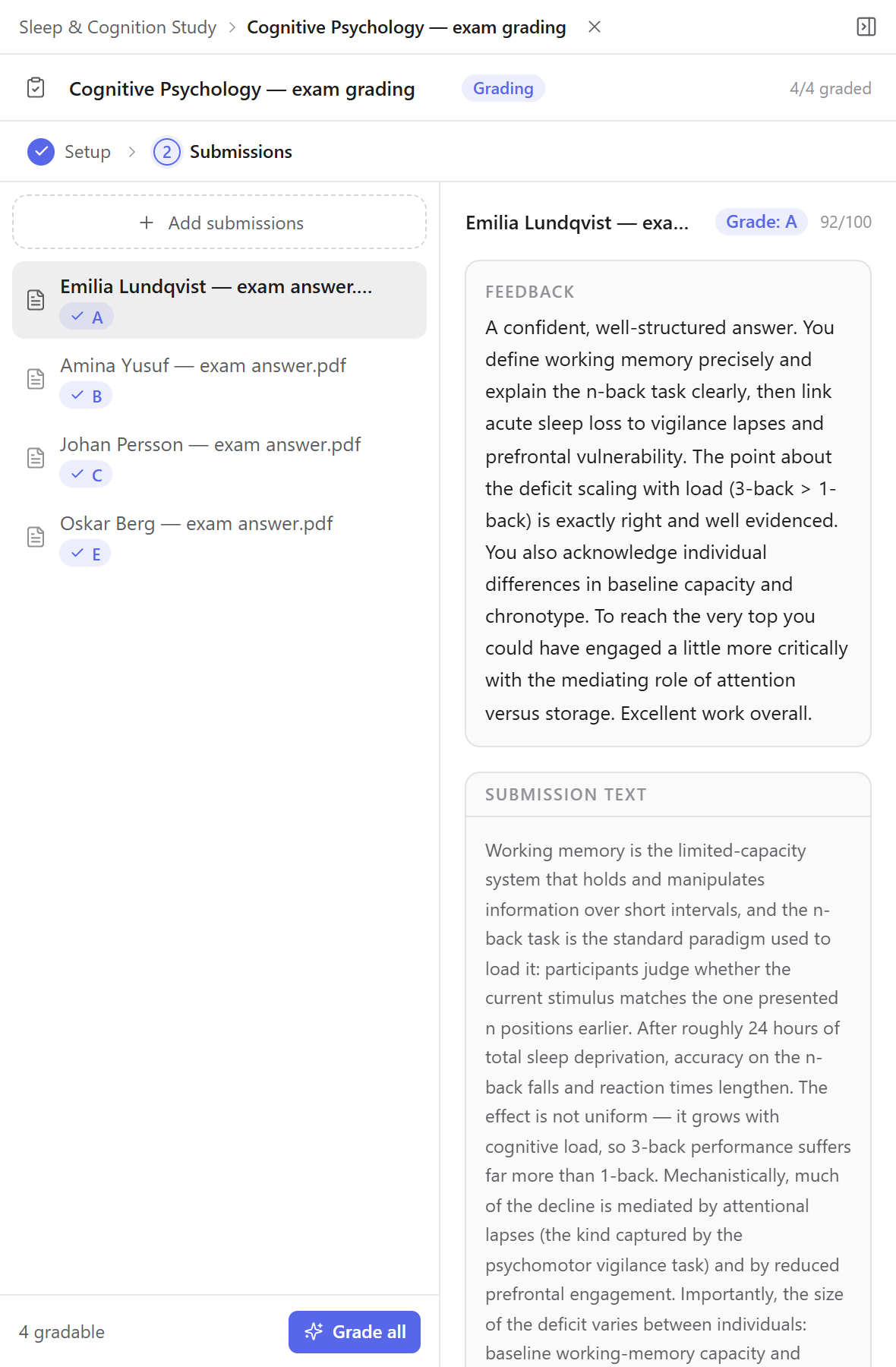
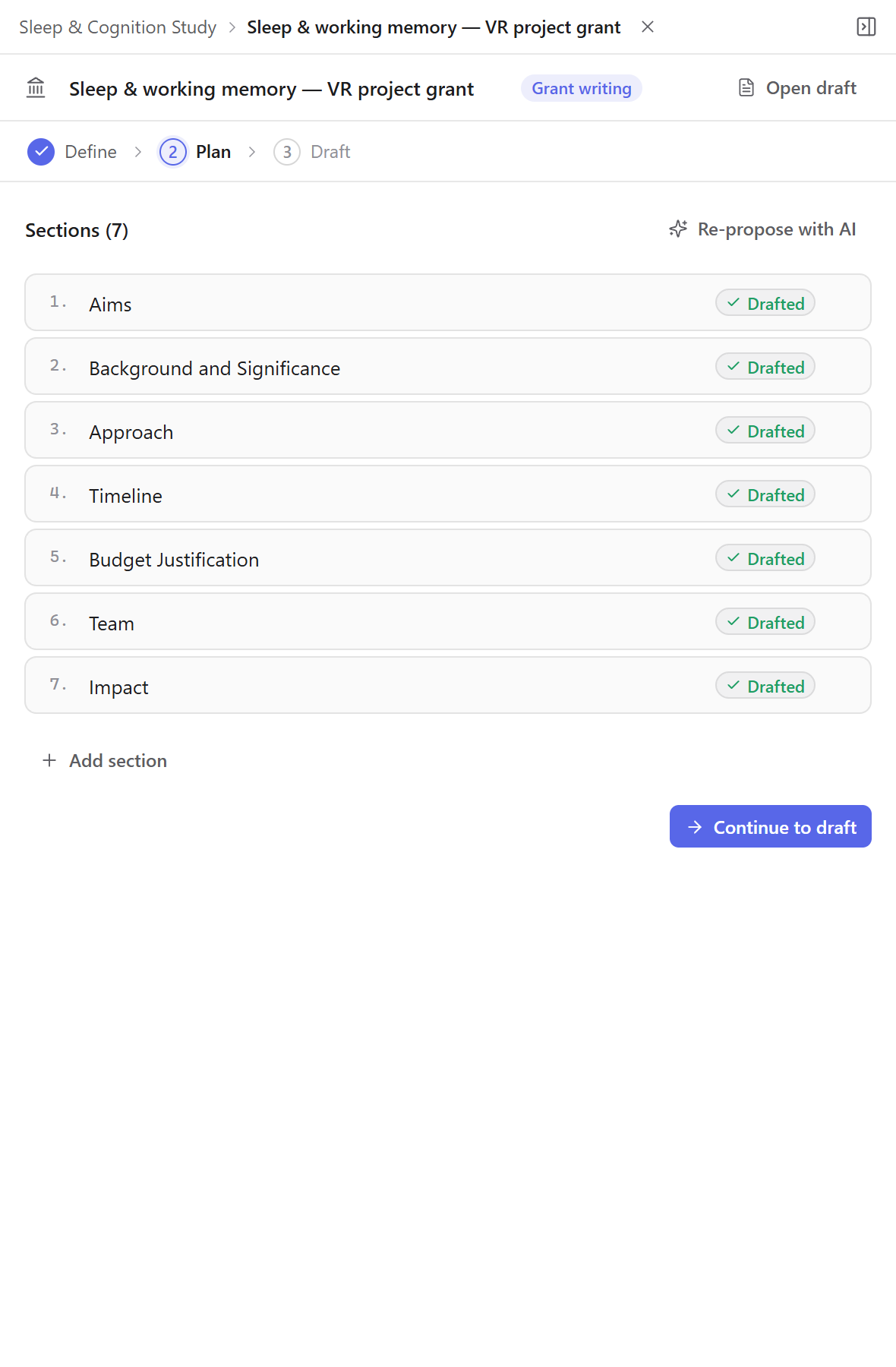
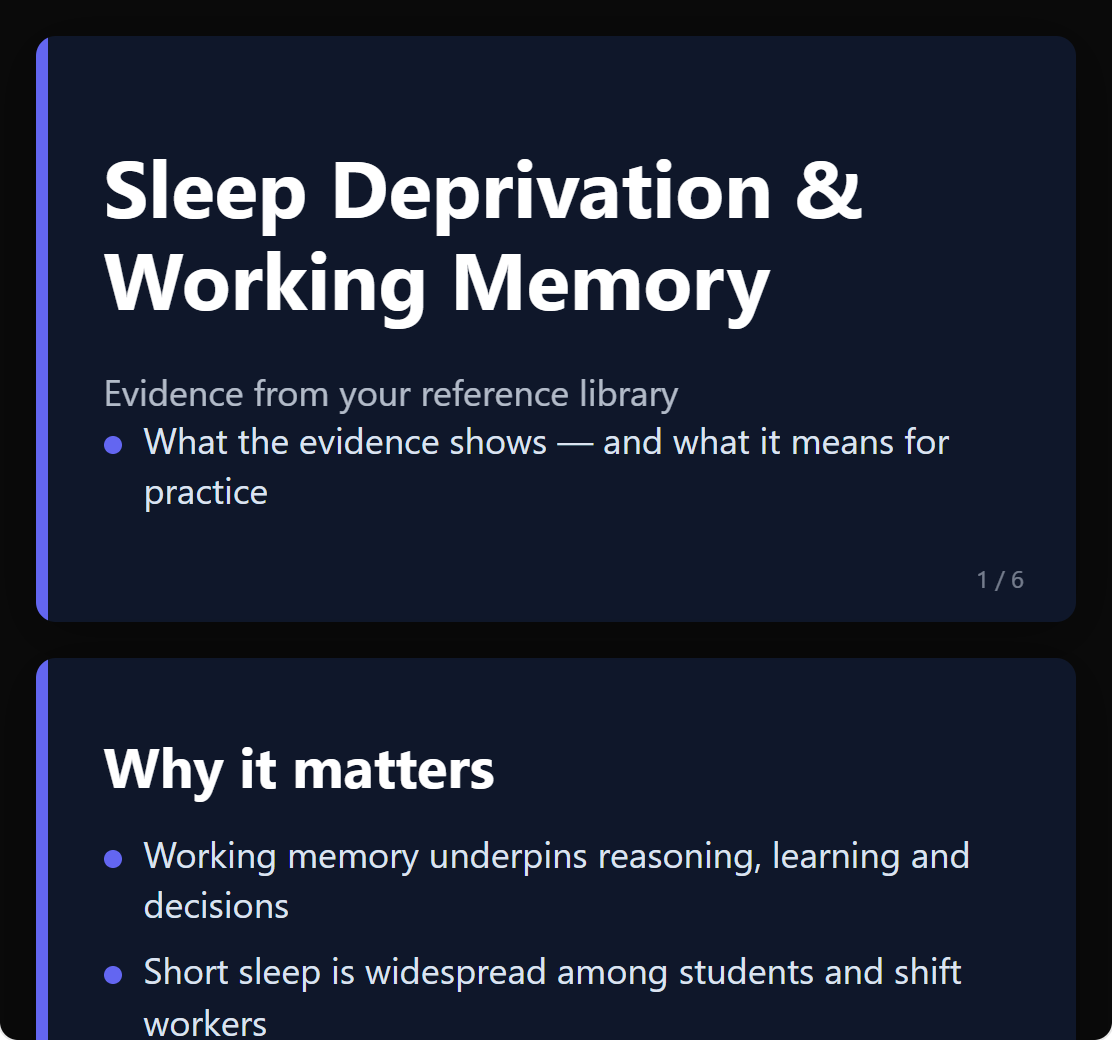
Beyond the big methods, Kahubi has guided flows for everyday academic work too — each one ends in a real document, grounded in your own material.
- Experiments: power analysis, preregistration, seeded randomization, and a CONSORT diagram
- Delphi studies, scale validation, bibliometric mapping, and ethics applications
- Grading, grant applications, presentations, essays, and peer review — and more
Your data stays private. Full stop.
Unpublished manuscripts and interview data are the most sensitive things a researcher owns. Kahubi treats them that way.
Never used for training
Your content is only ever used to answer your requests — not to train our models or anyone else’s.
GDPR-compliant
Built in Sweden on GDPR-compliant infrastructure, with EU processing for transcription.
Encrypted credentials
Integration tokens (Zotero, Mendeley, GitHub) are encrypted at rest and masked everywhere in the UI.
Deletion on request
Export your library anytime, and have your account and data fully deleted on request.
How it works
Bring your research
Sign up with your university email and Kahubi finds your publications. Import the rest via BibTeX, RIS, PDFs, or Zotero sync.
Work with AI that knows it
Chat over your sources, run statistics on your data, screen papers for a review, transcribe interviews — all grounded in your own material.
Ship the manuscript
The output is a real document: compiled PDF, LaTeX source, or .docx — written in your style, cited in your citation style.
Frequently asked questions
Is there a free plan?
Is my research data used to train AI models?
Is Kahubi GDPR-compliant?
Which citation styles are supported?
How does interview transcription work?
Can I work on a project with my research group?
Can I cancel anytime?
Does Kahubi work with Zotero and Mendeley?
Can I insert my references into Microsoft Word?
Start your next paper in Kahubi
Sign up free, import your library in minutes, and see what an AI workspace built for research feels like.